Platforms · MAPWorkFloz
Manage, document and keep your processes moving forward through a single point of visibility.
Our desktop app for Nintex K2 administrators and citizen developers: every server, workflow, SmartForm and SmartObject tracked, documented and securely managed, with full visibility across all your environments. Compare versions and follow the change history of every workflow artifact with our built-in documentation suite.

Everything in the app
Compare, document, fix, migrate and monitor your Nintex K2 environments, without digging through each server or designer.
✓
Nintex package comparison
See exactly what changed between two packages before you deploy.
✓
SmartObject compare across environments
Compare SmartObjects between Production and Staging side by side.
✓
SmartObject reports
Generate complete documentation for any SmartObject.
✓
SmartForm reports
Document SmartForms in a single report.
✓
SmartForm rule viewer
Read every rule on a form without clicking through the designer.
✓
SmartForm compare
Spot the differences between two versions of a form.
✓
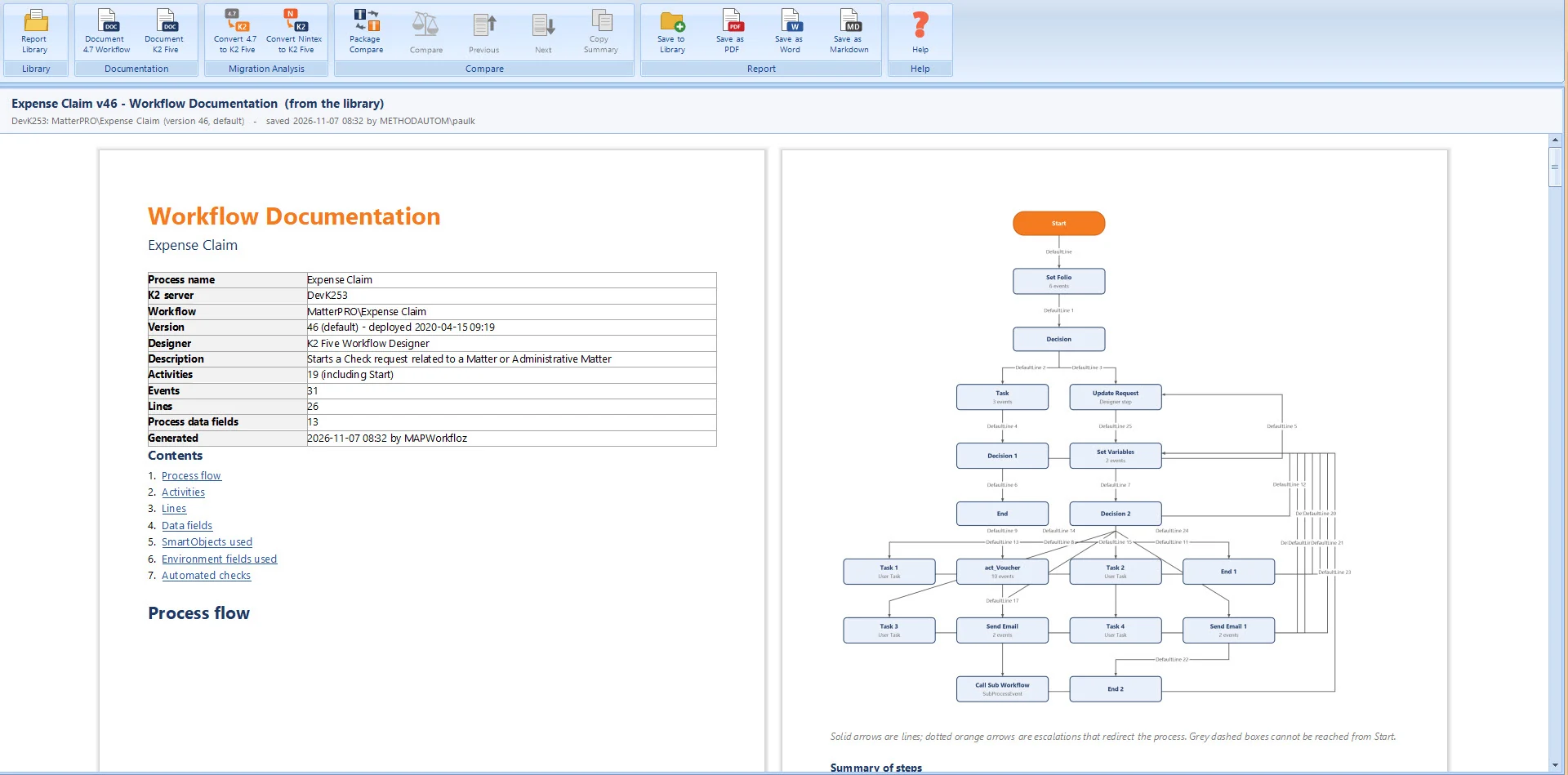
Workflow reports (4.7 and 5.x)
Document workflows from either generation of K2.
✓
Workflow transformation guide
A guide for moving each workflow from 4.7 to 5.x.
✓
Server report for Nintex Support
Skip the first ten emails with support. Your version, fix packs and installation details in one report, ready to send.
✓
Export every report
As Markdown for your Azure DevOps wiki, as a Word document, or as a PDF.
✓
User task reassignment
Find tasks still assigned to people who are no longer active in Active Directory, then reassign them in bulk or split them across team members.
✓
Diagnose and fix errors
Correct bad data in a workflow's process data field or a SmartObject and redirect, even mid-process.
✓
Process migration
Move workflows safely from one version to another based on new business rules. Filter, sort and group versions so you move only the ones you need, while the rest follow their grandfathered path.
✓
Workflow scheduler
Instant visibility into how many runs and any errors, and launch runs as different users or service accounts.
✓
Custom folders and search
Organize workflows and categories your way, and search across every SmartObject and workflow.
✓
One-click health check
Tune your K2 database for optimal performance.
✓
Full help file
Built-in documentation for every feature.
Dashboard & KPIs
A full dashboard shows your most active workflows, errors, least active processes, and which users have the most and the fewest assigned tasks, so you can balance work across teams and departments.
Most active workflows
Errors
Least active processes
Users with the most tasks
Users with the fewest tasks
Documentation & migration
Document SmartObjects, SmartForms and workflows, compare versions side by side, and export every report as Markdown for your Azure DevOps wiki, as a Word document or as a PDF.
Process migration moves workflows between versions based on your business rules, and the transformation guide maps each workflow from K2 4.7 to 5.x.
Get started
Ask for a quote or a free trial and we'll walk you through it with your own servers.
